
Blackbox AI Review What Developers Should Know Before Using It

Modern software development moves fast. Developers manage complex codebases, tight deadlines, frequent deployments, and continuous updates. Writing clean code, debugging efficiently, and maintaining documentation all take time.
AI coding assistants are becoming essential productivity tools. One of the platforms gaining attention is blackbox ai.
In this blackbox ai review, we explore how the tool works, its key features, advantages, limitations, and what developers should evaluate before integrating it into their workflow.
The goal is simple. Help developers decide whether blackbox ai is worth adopting for real world projects.
What Is Blackbox AI
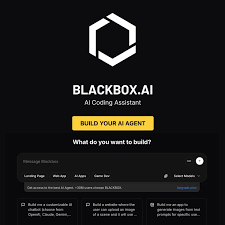
Blackbox AI is an AI powered coding assistant designed to help developers write, understand, and improve code more efficiently.
It integrates with popular development environments and provides:
- Context aware code suggestions
- Code explanation
- Debugging assistance
- Test generation
- Multi language support
Instead of acting like a simple autocomplete tool, blackbox ai analyzes surrounding context to provide more relevant suggestions.
It fits into the growing category of AI developer productivity tools.
How Blackbox AI Works
Understanding the workflow is important before adopting any AI coding tool.
Step One IDE Integration
Blackbox ai integrates into supported editors such as VS Code. Once installed, it monitors the file context and project structure.
Step Two Contextual Suggestions
As developers type, the system suggests completions based on the current function, class, or module.
Step Three Code Explanation
Developers can highlight code and request explanations. This is especially useful when working with unfamiliar libraries or legacy code.
Step Four Generate Or Refactor
The tool can help generate boilerplate code, suggest improvements, or assist with restructuring functions.
Step Five Review And Apply
Developers review suggestions before accepting them into the codebase.
The tool is designed to assist, not replace, developer decision making.
Core Features Overview
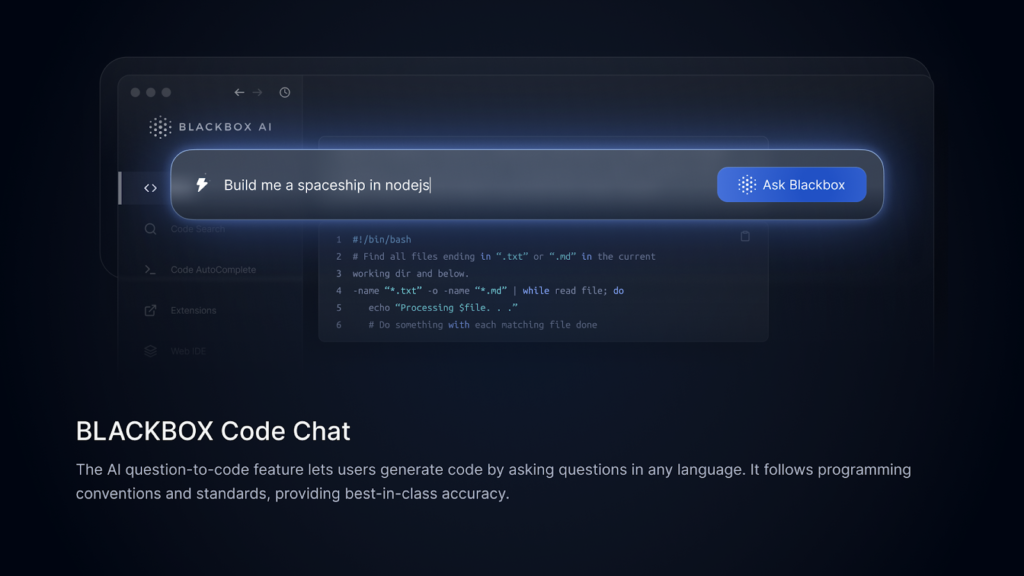
Context Aware Code Completion
Blackbox ai analyzes surrounding code rather than suggesting generic snippets.
Why it matters: Improves relevance and reduces syntax errors.
Code Explanation
Developers can request natural language explanations of selected code.
Why it matters: Helps onboard new team members and understand complex logic.
Test Generation
The platform can generate unit tests for functions.
Why it matters: Saves time and promotes better code coverage.
Multi Language Support
Supports multiple programming languages and frameworks.
Why it matters: Useful for full stack developers working across different stacks.
Each feature aims to reduce repetitive work and increase productivity.
Key Benefits For Developers
Developers adopt tools based on measurable gains.
Faster Development Cycles
Boilerplate generation and smart suggestions reduce typing and research time.
Improved Code Understanding
Explaining code helps teams manage large or inherited codebases.
Better Productivity
Developers can focus on architecture and logic instead of repetitive tasks.
Learning Support
Junior developers benefit from real time explanations and examples.
Consistency Across Projects
Standardized suggestions help maintain cleaner patterns across teams.
Overall, blackbox ai functions as a productivity amplifier.
Who Should Use Blackbox AI
Blackbox ai is suitable for several developer profiles.
Individual Developers
Freelancers or solo developers who want faster output.
Startup Engineering Teams
Small teams that need to move quickly and prototype efficiently.
Enterprise Development Teams
Organizations looking to improve onboarding and maintain consistency.
Students And Learners
Those learning new programming languages can benefit from explanations and guided suggestions.
Highly specialized developers working on security critical systems should carefully evaluate AI generated suggestions before implementation.
Real World Use Cases


Rapid Prototyping
A startup developer needs to build a minimum viable product quickly.
Result: Faster feature implementation through contextual suggestions.
Debugging Assistance
A developer encounters an unfamiliar error.
Result: AI suggestions help narrow possible fixes and speed resolution.
Test Creation
A team wants better unit test coverage.
Result: Automated test generation reduces manual writing time.
These scenarios show practical applications in everyday development.
User Experience And Interface
Blackbox ai integrates directly into supported IDEs. Developers do not need to learn a separate platform interface.
Suggestions appear inline. Developers can:
- Accept
- Modify
- Reject
The experience feels similar to advanced autocomplete tools.
However, suggestion accuracy depends on context clarity and code quality. Developers should always review AI generated code carefully.
Pricing And Plans Overview
Blackbox ai typically offers:
- Free plan with limited usage
- Pro plan with advanced features
- Team or enterprise plans with expanded capabilities
When evaluating cost, developers should consider:
- Frequency of coding tasks
- Need for test generation
- Team collaboration requirements
- Code privacy policies
Compared to hiring additional developers or spending hours on repetitive tasks, blackbox ai can be cost effective.
Pros And Cons
A balanced blackbox ai review requires examining both sides.
Pros
Fast contextual suggestions
Helpful code explanations
Supports multiple languages
Reduces repetitive work
Improves productivity
Cons
Suggestions may sometimes be inaccurate
Requires careful review before production use
Cloud based features may raise privacy concerns
Not a replacement for deep architectural thinking
For most developers, the benefits outweigh the limitations when used responsibly.
Comparison With Similar Tools
Blackbox ai competes with other AI coding assistants such as:
- GitHub Copilot
- Tabnine
- Replit AI
Compared to Copilot, blackbox ai emphasizes explanation and contextual reasoning.
Compared to Tabnine, it focuses more on conversational assistance.
Compared to Replit AI, it integrates more closely into local development environments.
Choosing the right tool depends on workflow preference and ecosystem alignment.
Security And Privacy Considerations
Developers should review:
- How code is processed
- Whether snippets are stored
- Encryption standards
- Enterprise compliance options
For proprietary or sensitive projects, verifying data handling policies is essential before adoption.
Buying Considerations For Engineering Teams
Before adopting blackbox ai, teams should assess:
Code Review Standards
AI generated code must pass normal review processes.
Security Policies
Ensure compatibility with internal data governance rules.
Integration Compatibility
Verify IDE and language support.
Long Term Maintainability
Generated code should remain readable and maintainable.
A pilot rollout within a small team can help evaluate effectiveness.
Final Verdict
This blackbox ai review shows that the platform is a strong productivity tool for developers seeking speed and contextual support.
It helps:
- Generate code faster
- Understand complex logic
- Improve test coverage
- Reduce repetitive work
It does not replace experienced developers. Instead, it acts as an intelligent assistant that enhances workflow efficiency.
For developers and engineering teams looking to improve productivity while maintaining control over code quality, blackbox ai is worth evaluating.
Frequently Asked Questions
Is Blackbox AI Free
There is typically a free plan with limited usage and paid plans for advanced features.
Can Blackbox AI Replace Developers
No. It supports developers but does not replace human expertise.
Is Blackbox AI Secure
Security depends on the plan and how data is handled. Teams should review privacy policies carefully.
Does Blackbox AI Support Multiple Languages
Yes. It supports various popular programming languages and frameworks.
Should AI Generated Code Be Reviewed
Yes. All AI generated code should go through standard review and testing processes.