

Aider AI Review What Developers Should Know Before Getting Started

Software development is evolving rapidly. Developers are expected to ship features faster, fix bugs more efficiently, and maintain clean code across growing codebases. At the same time, teams must balance quality, security, and scalability.
AI assisted coding tools are becoming part of the modern development workflow. But not all AI coding tools are built the same way.
This is where aider ai stands out.
In this aider ai review, we explore how the tool supports developers by enabling AI powered code editing directly within local repositories. Unlike browser based assistants that operate in isolated environments, aider ai is designed to work with real codebases in real development workflows.
The core problem it addresses is friction between AI suggestions and actual project context. Developers need AI that understands their existing files, dependencies, and structure. Aider ai aims to bridge that gap.
It is designed for software engineers, open source contributors, DevOps teams, and technical founders who want practical AI assistance without sacrificing control over their code.
What Is Aider AI
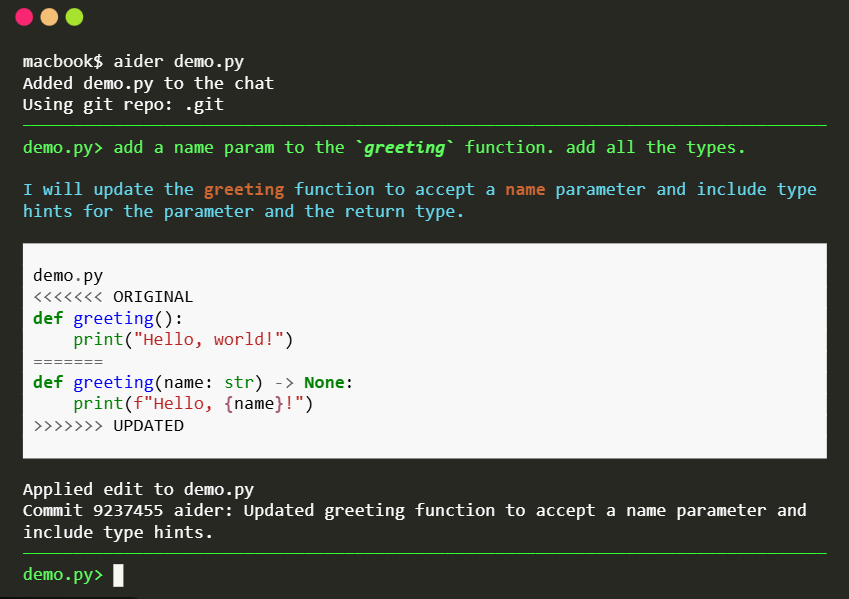
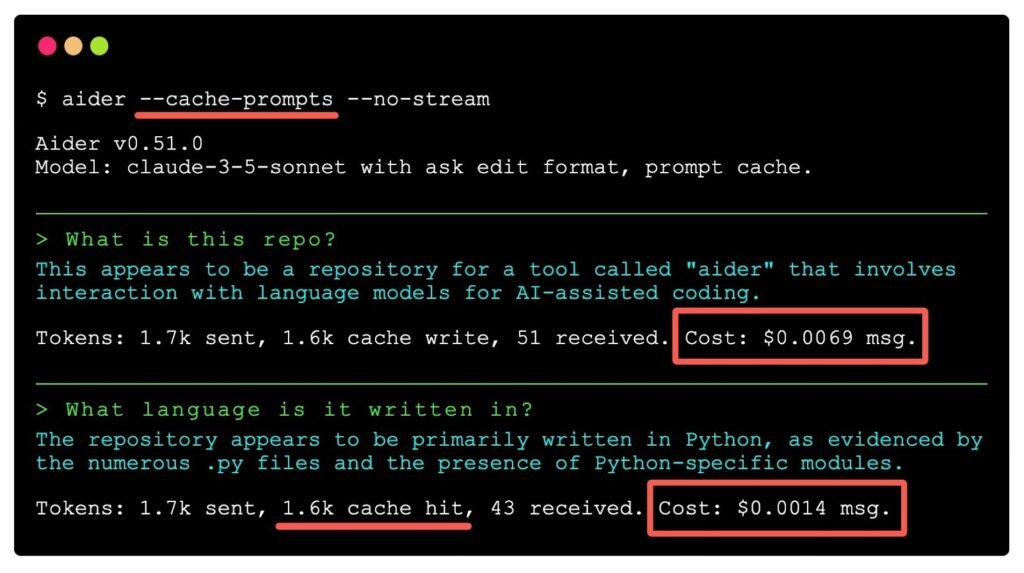
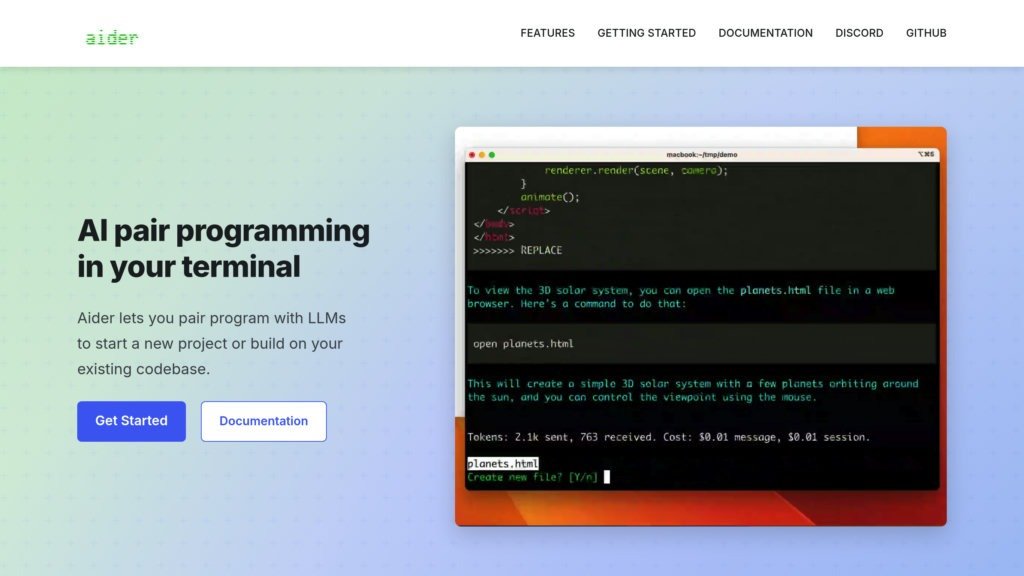
Aider is an open source AI pair programming tool that works directly with your local Git repository. It enables developers to interact with large language models to edit, refactor, and generate code across existing project files.
Rather than acting as a standalone code generator, aider ai operates within your development environment. It reads relevant files, proposes changes, and writes updates directly to the repository.
Within the broader AI developer tools ecosystem, aider ai positions itself as a practical command line based assistant. It integrates with version control systems and supports iterative collaboration between developer and AI.
For developers who prefer terminal driven workflows and full control over their codebase, aider ai offers a lightweight yet powerful approach.
How Aider AI Works
Understanding how aider ai works is critical before adopting it into a development stack.
Step One Connect To A Local Repository
Aider ai runs within your project directory. It accesses files in your local Git repository to understand the structure and context of your code.
Step Two Select Relevant Files
Developers specify which files the AI should consider. This helps limit scope and maintain accuracy.
Step Three Provide Instructions
You describe the task in natural language. For example, you might request a feature addition, bug fix, or refactoring improvement.
Step Four AI Suggests And Applies Changes
Aider ai generates code modifications and applies them directly to the selected files. Changes can be reviewed before committing.
Step Five Commit And Iterate
Because it integrates with Git, developers can review diffs, commit changes, and continue iterating with AI support.
The workflow remains developer centric. Aider ai assists, but version control and final approval stay in human hands.
Core Features Overview
Aider ai includes focused features tailored to developer workflows.
Repository Aware Code Editing
The tool reads multiple files within a project, enabling context aware code changes.
Why it matters: Real world projects span many interconnected files. Context improves accuracy.
Git Integration
Aider ai works directly with Git repositories and supports commit workflows.
Why it matters: Developers maintain control and transparency over code changes.
Command Line Interface
The platform is terminal based, aligning with developer preferences for efficiency and scripting.
Why it matters: Minimal overhead and easy integration into existing workflows.
Multi File Refactoring Support
The AI can update related files simultaneously when implementing new features or structural changes.
Why it matters: Reduces manual coordination across components.
Each feature emphasizes control, transparency, and practical productivity.
Key Benefits For Users
Developers evaluate tools based on productivity gains and code quality impact.
Faster Feature Development
AI assistance accelerates boilerplate generation and repetitive coding tasks.
Improved Refactoring Efficiency
Large scale refactoring becomes more manageable with AI suggested updates.
Reduced Context Switching
Developers remain in their local environment rather than copying code into external tools.
Enhanced Collaboration
Clear diffs and commit history support team transparency when AI contributions are involved.
Flexible Model Support
Aider ai can work with different large language models, allowing developers to choose based on performance or cost preferences.
The overall benefit is augmented productivity without sacrificing engineering discipline.
Who Should Use This Software
Aider ai is best suited for technically proficient users comfortable with Git and command line workflows.
Backend Developers
Engineers working on APIs, microservices, and server side systems benefit from multi file editing support.
Open Source Contributors
Maintainers can use AI to assist with bug fixes and documentation updates.
Startup Engineering Teams
Small teams aiming to move quickly can leverage aider ai to accelerate development cycles.
DevOps And Infrastructure Engineers
Automation scripts and configuration files can be updated efficiently with AI support.
Beginner developers may also benefit, but foundational Git knowledge is recommended.
Use Cases And Real World Scenarios
Practical examples demonstrate how aider ai can be applied.
Scenario One Feature Implementation
A developer wants to add authentication to an existing web application. Aider ai reviews relevant files and updates routing, middleware, and configuration code accordingly.
Result: Reduced implementation time and consistent integration.
Scenario Two Code Refactoring
A legacy module requires restructuring. The developer instructs aider ai to refactor functions into smaller components while preserving functionality.
Result: Cleaner architecture with fewer manual edits.
Scenario Three Bug Fix Across Multiple Files
A dependency update causes errors in several files. Aider ai identifies related code sections and applies necessary adjustments.
Result: Faster resolution with fewer missed references.
These scenarios highlight productivity improvements while maintaining developer oversight.
User Experience And Interface
Aider ai emphasizes functionality over visual design.
The command line interface is straightforward. Developers issue instructions and receive responses directly in the terminal.
Because it operates within the repository, there is minimal friction between suggestion and implementation.
The learning curve depends on familiarity with Git and terminal commands. Experienced developers adapt quickly.
Documentation and community resources support onboarding and troubleshooting.
Pricing And Plans Overview
Aider ai itself is open source, which lowers the barrier to entry.
However, usage costs depend on the underlying large language model selected. Developers may incur API fees based on token usage and model choice.
This flexible cost structure allows teams to control spending based on project size and activity.
Compared to enterprise level AI development platforms, aider ai offers a cost efficient entry point for AI assisted coding.
Teams should estimate expected usage and evaluate API pricing from their chosen model provider.
Pros And Cons
A balanced aider ai review includes strengths and limitations.
Pros
Direct integration with local Git repositories
Context aware multi file editing
Open source and flexible
Maintains developer control over commits
Terminal based efficiency
Cons
Requires familiarity with Git and command line tools
Dependent on external language model APIs
Not a fully integrated graphical IDE experience
Developers seeking a plug and play visual coding assistant may prefer IDE integrated alternatives. However, those valuing control and transparency often appreciate aider ai’s design.
Comparison With Similar Tools
Aider ai operates in the AI assisted coding landscape alongside platforms such as GitHub Copilot and Cursor.
GitHub Copilot integrates directly into popular IDEs and offers inline suggestions during coding. It focuses heavily on real time autocompletion.
Cursor provides an AI enhanced code editor experience with chat based code modification capabilities.
Aider ai differentiates itself through repository wide awareness and Git centric workflows. Rather than being tied to a specific IDE, it operates directly within your project environment.
Developers should evaluate whether they prefer IDE embedded assistance or command line based repository control.
Buying Considerations For Decision Makers
Before adopting aider ai in a team environment, consider the following.
Development Workflow Compatibility
Ensure your team is comfortable with Git driven workflows and terminal tools.
Cost Management
Estimate expected API usage to avoid unexpected expenses.
Security Policies
Review how API calls interact with proprietary code and ensure compliance with internal security standards.
Team Adoption Strategy
Introduce the tool gradually and establish guidelines for reviewing AI generated code.
Examining SaaS case studies and developer productivity benchmarks can help quantify potential benefits before large scale rollout.
Security Privacy And Compliance
Developers must consider how code is shared with AI models.
Because aider ai interacts with external language model APIs, sensitive code may be transmitted for processing. Organizations should evaluate provider privacy policies and data handling practices.
Encryption, secure API keys, and access controls are essential.
For enterprises operating in regulated industries, internal compliance review is recommended before adoption.
Security awareness ensures that productivity gains do not introduce unnecessary risk.
Support And Documentation
Aider ai provides documentation and community driven resources to assist users.
Because it is open source, support often includes community forums, Git repositories, and issue tracking systems.
Teams seeking formal enterprise support may need to evaluate additional service options or internal expertise.
Clear documentation supports efficient onboarding and responsible usage.
Final Verdict
This aider ai review highlights a developer focused AI assistant built for real world codebases.
Its strengths lie in repository awareness, Git integration, and terminal based efficiency. For developers who value control, transparency, and flexibility, aider ai offers a compelling alternative to IDE bound AI tools.
It is best suited for experienced developers and teams comfortable with command line workflows.
Organizations with strict security requirements should evaluate API data policies carefully before adoption.
For development teams in Tier One markets aiming to increase velocity without sacrificing quality, aider ai represents a practical and cost conscious step toward AI augmented engineering.
Frequently Asked Questions
Is Aider AI Suitable For Beginners
It is best suited for developers familiar with Git and terminal workflows.
Does Aider AI Replace An IDE
No. It complements existing development environments rather than replacing them.
Is Aider AI Free To Use
The tool itself is open source, but underlying language model APIs may incur usage costs.
Can Aider AI Edit Multiple Files At Once
Yes. It can modify multiple related files within a repository to implement changes.
Is Aider AI Secure For Enterprise Use
Security depends on chosen language model providers and internal policies. Organizations should review data handling practices before adoption.